NOTE: Due to continuous development, the menus displayed on the website may differ slightly from those in the applications.
The Edit menu of STACS is shown below.
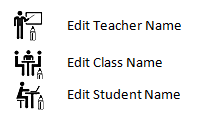
Edit Teacher Name: The logon name or the Display name of the Teacher Folder should be changed using the normal Windows File Explorer method. When a teacher in a school is replaced by another teacher, it may be convenient to simply edit the teacher name to the name of the new teacher. This item can also be used if a teacher name is entered incorrectly or if the teacher name changes.
Edit Class Name: For schools where the class name changes from year to year, the class name can be changed using the ‘Edit Class Name’ item of the Edit menu (e.g. 1 Joyce can become 2 Joyce, then 3 Joyce, etc.). Some schools do not change class names as students progress through the years, so this option will not be required.
Edit Student Name: If it is discovered that a student display name or log on name has been entered incorrectly, this option can be used to rectify the situation. (If a student log on name is entered incorrectly, the student will not be able to sit a test as STACS matches the log on name with the student logged on.) Also, if a student is joining a class that already has a student with an identical name, it may be necessary to adjust the original student’s name (e.g. JOE BLOGGS to JOE BLOGGS1). for security reasons, a server administrator may request a change in a student log on name.
 STACS student testing